FlashBack Pro Screen Recorder5.12.0.3858
Publisher Description
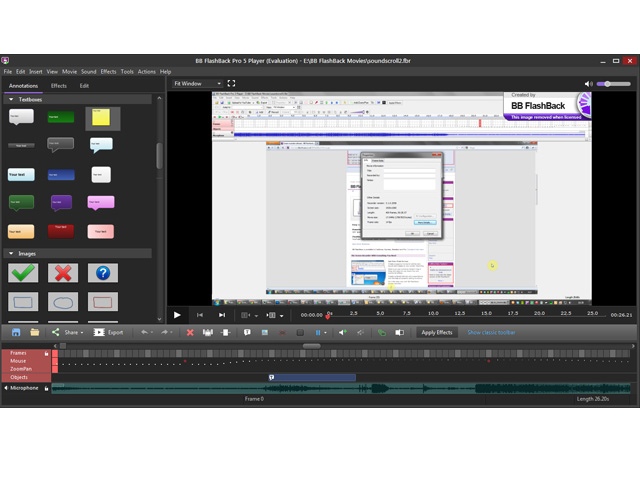
FlashBack Professional is a screen recording application for creating tutorials, demonstrations or training material. New in FlashBack 5: Language translation of textboxes and buttons; Magnifier effect to enlarge parts of the movie; Password protection for recordings you want to keep secure; FlashBack Connect customisation options to add company branding; Dedicated online video sharing website - the FlashBack Connect online service; New Graphical User Interface. Other features: Fade Transitions - add transition effects to join clips when creating your movie. Gallery - Simplify the editing workflow by creating a gallery of in-movie annotations like textboxes, images, highlights etc. Blur Tool - Blur out sensitive details in a movie - great for creating movies that feature sensitive or personal data. Record-time Notes - Make notes during recording and see them as textboxes in the movie. Export to GIF format - For easy embedding into Web pages. Other features in FlashBack Pro include: One-click upload to YouTube, Blip.tv and Revver, Undo and Redo, QuickTime (H264) Exports, Support for Flash Video (FLV) Format, Flash Export Improvements, (full-screen modem, enhanced playback and volume controls, greater control over movie download and playback), Import of AVI or WMV as a webcam video. Other features include Pan & Zoom, Precision Sound Editing, Webcam Capture, Action Buttons, Vista Capture Driver, Recording Wizard, Highlight Tool, Mouse Movement Correction. Add text, images, sound, webcam and spoken commentary, and use the extensive editing functions to create a high quality presentation. Movies can be exported to Flash, AVI, WMV, PPT or EXE for use on a CD-ROM, over a network or on the web. Typically, users can be creating professional movies with FlashBack in minutes. Example movies created with FlashBack can be found on our website at: http://www.bbflashback.
About FlashBack Pro Screen Recorder
This Screen Capture program is available in English, French, Italian, Japanese, Russian, Spanish. It was last updated on 29 September, 2026. FlashBack Pro Screen Recorder is compatible with the following operating systems: Windows.
The company that develops FlashBack Pro Screen Recorder is Blueberry Software Ltd. The latest version released by its developer is 5.12.0.3858. This version was rated by 13 users of our site and has an average rating of 2.1.
The download we have available for FlashBack Pro Screen Recorder has a file size of 19.9 MB. Just click the green Download button above to start the downloading process. The program is listed on our website since 2015-11-19 and was downloaded 577 times. We have already checked if the download link is safe, however for your own protection we recommend that you scan the downloaded software with your antivirus. Your antivirus may detect the FlashBack Pro Screen Recorder as malware if the download link is broken.
How to install FlashBack Pro Screen Recorder on your Windows device:
- Click on the Download button on our website. This will start the download from the website of the developer.
- Once the FlashBack Pro Screen Recorder is downloaded click on it to start the setup process (assuming you are on a desktop computer).
- When the installation is finished you should be able to see and run the program.
Program Details
General
System requirements
Download information
Pricing
Version History
version 5.12.0.3858
posted on 2015-11-19
Minor fixes to improve performance
version 1.5.5
posted on 2007-02-01
Bug fixes to the Vista platform, small interface changes, performance improvements for lower end machines
